How to prevent rounding of percentages in Vyond Go charts?
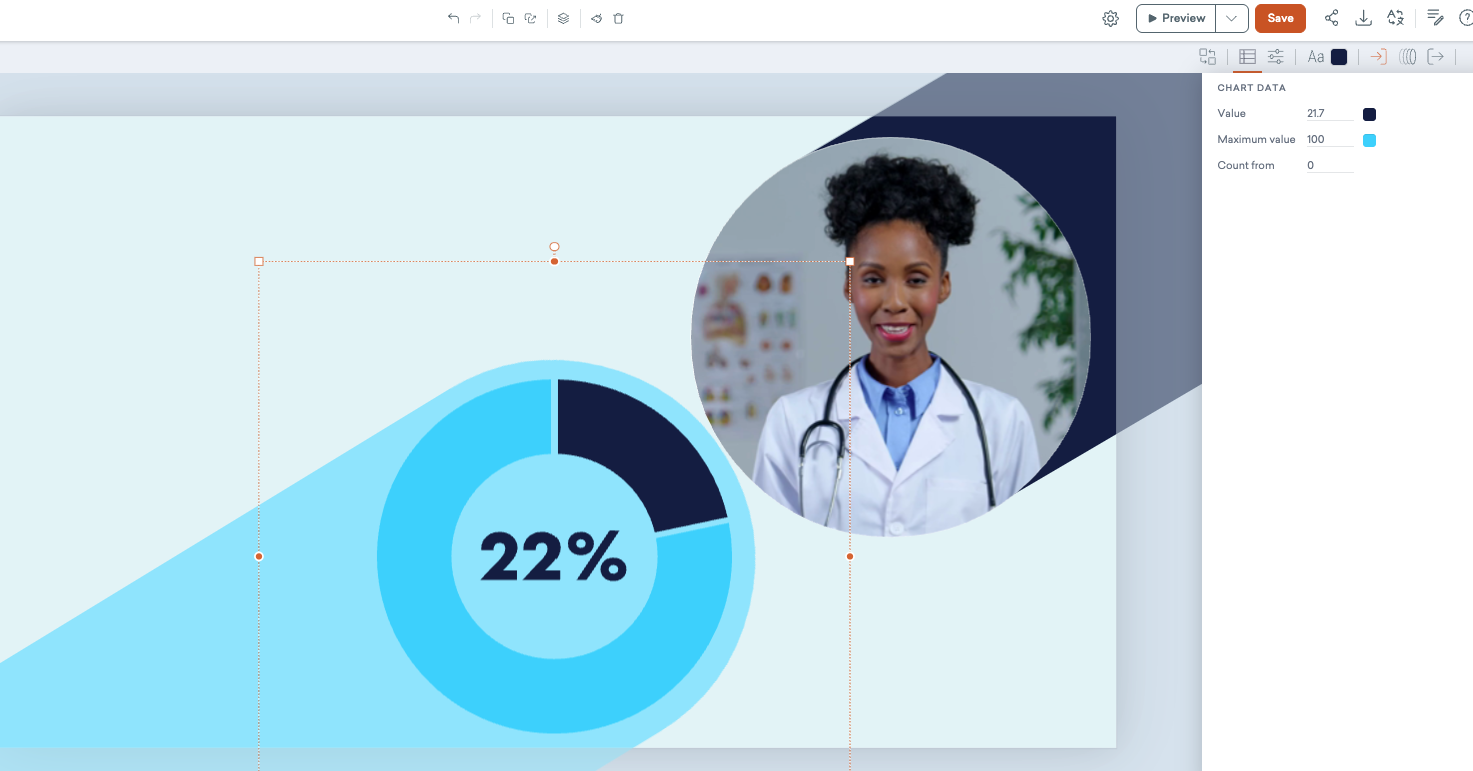
Hi community, I am a bit stuck and hope someone can help me. I have created a short clip with Vyond Go. Generally, it turned out great but it messed up with one percentage in a donut chart and wrote 7% instead of 21.7%. I figured how to change the information but it rounds up the value to 22%! It is pretty important to be accurate here. Anyone knows how to disable this?
Screenshot for clarity: On the top right, you can see the correct value, on the donut the rounded value.
Thanks so much for your help!